


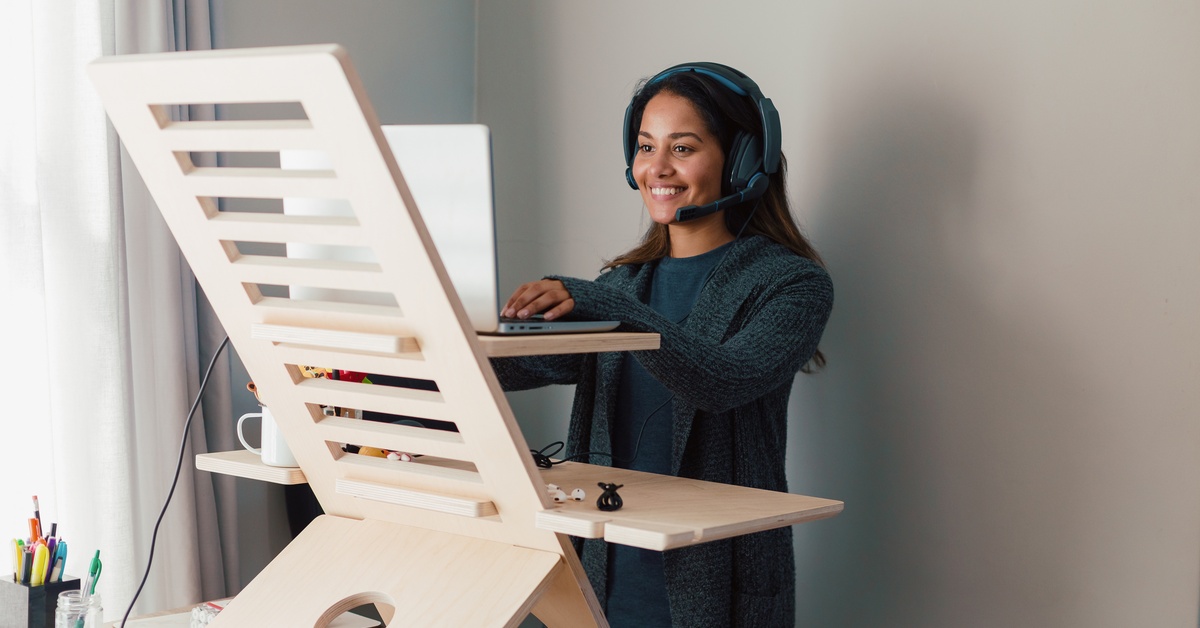
Working from home offers incredible flexibility, but it also encourages a sedentary lifestyle. The commute from the bedroom to the living room doesn’t exactly get the blood pumping.
Many remote workers find themselves sitting for eight, ten, or even twelve hours a day. Incorporating a standing desk into your workspace breaks up sedentary patterns, boosts energy, and alleviates the back pain that often accompanies a standard office chair. It’s time to learn how to incorporate a standing desk in your remote office so that you can regain a little movement in the day.
Find the Perfect Fit
You need a desk that fits your specific workflow and space constraints. If you have a dedicated room, a full electric standing desk offers the best stability and range of motion. However, not everyone has the square footage for a massive setup. Desk converters sit right on top of your existing table and allow you to switch positions easily.
Versatility matters when shopping for furniture for a hybrid work environment. You want equipment that adjusts quickly so that you don’t lose focus during deep work sessions. Make sure the desk supports the weight of your monitors and laptop without wobbling. A stable surface ensures you type comfortably whether you sit or stand.
Don’t Stand All Day
New users often make the mistake of standing for eight hours straight on day one. This leads to sore feet, stiff legs, and fatigue. Your body needs time to adapt to the new posture. Start with small intervals. Stand for 15 to 20 minutes every hour, then lower the desk back down.
To make the transition smoother, focus on the following essentials:
- Wear Supportive Footwear: Ditch the slippers or bare feet. Running shoes or supportive sneakers provide the arch support you need.
- Use an Anti-Fatigue Mat: These cushioned mats encourage micro-movements in your legs and reduce the strain on your joints.
- Set a Timer: It’s easy to get lost in a task. A simple phone alarm reminds you to switch positions regularly.
Dial In Your Ergonomics
A standing desk only benefits you if you set it up correctly. Poor posture while standing causes just as many issues as poor posture while sitting. Adjust the desk height so your elbows rest at a 90 degree angle. Your wrists should float straight out from your forearms while typing.
Position your monitor at eye level. If you look down at your screen, you put unnecessary stress on your neck. You might need a monitor arm or a stand to get the height right. Keep your shoulders relaxed and back, rather than hunched forward. Good ergonomics keep you comfortable and productive for longer stretches.
Tame the Cords
Adjustable desks introduce a unique challenge: cable management. When you raise the desk, the distance between your devices and the wall outlet also increases. Short cables will pull your expensive equipment right off the edge.
Invest in longer power strips and display cables before you start. Use cable ties or a management tray to bundle cords together and attach them to the underside of the desk. This keeps the area underneath your feet clear and prevents tripping hazards. Organizing your cables ranks high on the list of vital at-home office improvements because a clutter-free visual space helps maintain mental clarity.
Changing how you work takes patience. Listen to your body. If your legs feel tired, sit down. The goal is to avoid staying in one static position for too long. With the right setup and a gradual approach, a standing desk becomes a powerful tool for your health and remote work productivity.