


Home Blog Page 5

4 Ways To Upgrade Your Outdated Flooring

0
A person sitting next to a small book on a wooden floor at home. The person sits against a long gray couch.

Old floors can drag down the look of an entire home or business. Scratches, faded color, worn texture, and dated patterns create a space that feels tired long before the walls or furniture lose appeal. A fresh floor update can bring warmth, style, and comfort back into every room without a full remodel. Dive into our quick guide to get a glimpse at the best ways to upgrade your outdated flooring.

Start With Luxury Vinyl for a Fresh Modern Look

Luxury vinyl stands out as a favorite for good reason. It delivers the rich look of hardwood or stone without the high upkeep that older floors demand. New vinyl styles come with realistic grain detail, textured surfaces, and waterproof protection that suits busy homes or commercial spaces.

This route works well for kitchens, offices, entryways, and rental units. A dated tile floor from the early 2000s can shift into a sleek wood-look surface with far less hassle than a full hardwood install. Get familiar with the top signs it’s time to replace your vinyl flooring to ensure your upgrade stays in great shape.

Hardwood Brings Timeless Appeal

Nothing lifts a room quite like hardwood. Older carpet or faded laminate can leave a home flat and dull, but hardwood adds warmth and character almost instantly. Lighter oak tones, rich walnut shades, and wide plank layouts fit current design trends without feeling temporary.

Hardwood also suits both classic and modern spaces. This choice pairs well with neutral furniture, bold décor, or minimalist layouts. For property owners who plan to sell in the future, hardwood adds strong visual appeal that buyers notice right away.

Tile Can Shift the Entire Mood of a Space

Any room upgrade needs to be precise and deliberate. For example, you can select from many at-home office improvements to increase productivity. Outdated tile can date a room fast, especially with small patterns or faded grout lines. Large format tile, stone-look surfaces, and matte finishes create a more refined atmosphere with less visual clutter.

This route fits bathrooms, kitchens, patios, and commercial spaces quite well. Neutral tile shades help rooms feel open and calm, while textured surfaces add depth without loud patterns. Many business owners also prefer tile due to its durability and easy upkeep.

Carpet Still Has a Place in the Right Rooms

Another great way to upgrade your outdated flooring is to consider where you can add carpeting. Some homeowners pull out every trace of carpet during a remodel, but soft flooring still works well in bedrooms, lounges, and family spaces. The difference comes from the style choice.

Thick shag carpet from decades past can weigh down a room. However, newer low-pile textures feel cleaner and more refined. Neutral carpet tones also pair well with modern décor. Soft gray, warm beige, and earth-tone shades create comfort without visually overpowering the room. This upgrade can turn a cold room into a cozy retreat without major construction.

Not every floor update requires a complete tear-out. Some spaces benefit from smaller changes that still create a major visual shift. New trim, updated baseboards, fresh grout, or a modern stain color can refresh older flooring at a lower cost. Try out the upgrades above to see a noticeable difference at home now.

What Busy Homeowners Need From Outdoor Upgrades

0
A person using a power drill to fasten a screw into a dark red metal fence panel with green grass behind it.

While many backyard upgrades can be fun, not every homeowner wants something else they have to take care of around the house. They want spaces that look good, hold up well, and fit into daily life without constant attention. For busy homeowners, the best outdoor upgrades make the home easier to enjoy instead of harder to manage.

Choose Materials That Don’t Demand Too Much

A good outdoor upgrade should respect your time. Natural materials can look beautiful, but some require regular staining or sealing to maintain their appearance. If that upkeep won’t happen on a realistic schedule, the project will become frustrating much faster than expected.

This is where material choice matters. For example, vinyl deck railings make maintenance simple because they don’t need the same level of repainting or refinishing as some other options. Practical choices like this help the space stay polished without turning every spring into a repair season.

Design Around How You Actually Live

A backyard should match your actual routine, not the version of life you see in a showroom photo. If weeknights tend to feel rushed, you’ll need your outdoor dining space to be close to the kitchen so using it doesn’t feel like extra work. If weekends are the only time you slow down, the space should support that instead of asking for constant setup and takedown.

Think about the parts of the yard you already use. A small upgrade in the right spot may help more than a large project in an area everyone ignores. Busy homeowners get more value from outdoor upgrades that remove friction from real habits.

Plan Safety Before the Work Starts

Many outdoor projects can involve uneven ground, electrical work, drainage problems, or old materials that hide bigger issues. Those types of problems shouldn’t stop you from installing any upgrades, but they should affect how you handle the planning stage. A little caution early can prevent a project from creating damage or delays later.

That’s why this is a good time to learn how to identify and avoid renovation hazards. That way, before anyone starts cutting into surfaces or moving heavy materials, you can ensure every safety precaution has been taken. Be sure to also check for permits when the project requires them. Ask contractors clear questions about access, cleanup, and how the work will affect daily movement around the home.

Make Comfort Easy to Maintain

A beautiful outdoor space won’t get much use if it feels uncomfortable most of the time. Shade can make a patio more practical during hot afternoons, while better lighting can help the area feel usable long into the night. These upgrades don’t have to be dramatic to change how often people go outside.

Comfort also depends on simple upkeep. Cushions need a dry storage place when bad weather rolls in, and paths should stay clear enough that people can move through the yard without stepping around clutter. When the space feels easy to use, it becomes part of home life instead of a hassle you never want to use.

Smarter Charging Habits for Modern EV Fleets

0
A row of black electric delivery vans charges at docking stations in a commercial fleet parking facility.

Electric vehicle fleets have become part of daily operations for delivery companies, municipalities, and service providers across the country. While many businesses focus on battery range and charging speed, long-term efficiency usually depends on smaller operational habits that shape vehicle performance each week. Smarter charging habits for modern EV fleets can reduce interruptions, improve scheduling consistency, and create a more stable routine for drivers and managers alike.

As more organizations expand their electric fleet programs, charging practices have started to influence maintenance costs, vehicle availability, and workflow. A thoughtful approach to charging infrastructure and daily use creates fewer surprises during busy operating periods.

Charging Schedules Shape Daily Operations

Fleet charging works best when schedules align with driving patterns instead of reacting to low battery alerts throughout the day. Overnight charging remains common because it reduces congestion at charging stations and gives fleet managers more flexibility during business hours.

Temperature changes, route length, and idle periods can influence charging efficiency, especially when vehicles operate across multiple shifts. Businesses that stagger charging windows usually avoid unnecessary strain on equipment while maintaining consistent battery readiness across the fleet.

Preventive Maintenance Keeps Stations Reliable

Charging stations experience wear from weather exposure, cable handling, and repeated daily use, which makes routine inspections part of responsible fleet management. Companies that prioritize maintenance on commercial EV charging stations tend to avoid unexpected outages that disrupt schedules and delay vehicle deployment.

Technicians frequently inspect connectors, cooling systems, and software updates because small issues can create larger interruptions if ignored. Consistent upkeep supports smoother charging sessions while reducing downtime during high-demand periods.

Vehicle Lifespan Depends on Everyday Habits

Battery health can decline faster when charging practices remain inconsistent or when vehicles repeatedly stay at full charge for extended periods. Many fleet operators now focus on balanced charging ranges and route planning to support long-term vehicle performance.

Managers looking to extend the lifespan of fleet vehicles frequently review charging cycles alongside tire wear, braking patterns, and driver behavior. These operational details create a broader picture of how electric fleets perform under daily business conditions.

Data Tracking Improves Fleet Decisions

Modern fleet software gives operators access to charging histories, battery trends, and station performance metrics that support more informed planning. Instead of relying on assumptions, managers can review patterns that reveal when vehicles consume more energy or when stations experience slower charging speeds. Data tracking becomes more valuable as fleets grow because it identifies inefficiencies before they affect schedules.

Why Charging Strategy Matters More Than Speed

As electric fleets continue expanding nationwide, businesses are paying closer attention to the routines behind reliable vehicle performance. Smarter charging habits for modern EV fleets create steadier operations because they connect charging schedules, maintenance routines, and long-term vehicle care into one manageable system. When fleets operate with fewer disruptions and more predictable maintenance needs, businesses gain a clearer path toward stable day-to-day performance.

Steam Distribution Problems You Can Prevent

0
The exterior of a business where the steam system is located. The pipework is old and there is active steam rising.

Steam distribution systems play a critical role in many industrial and commercial operations. Facilities rely on steam for heating, manufacturing processes, and equipment performance every day. Small distribution problems can quickly reduce efficiency and increase maintenance costs if businesses ignore them.

Preventive maintenance and system awareness can help companies avoid expensive operational disruptions. Explore a few steam distribution problems you can prevent and how.

Uneven Heating Creates Performance Issues

Uneven steam distribution often signals underlying system problems. Some areas may receive too much steam while others receive very little, which affects equipment performance and productivity. Pressure imbalances, blocked pipes, or failing components can contribute to these inconsistencies. Businesses that address these issues early can improve efficiency and reduce energy waste.

Proper airflow management plays a major role in balanced steam performance. Many facilities underestimate air vents and their role in steam distribution when evaluating system efficiency. Air trapped inside pipes can prevent steam from flowing evenly throughout the system. Effective venting allows steam to circulate properly and maintains stable operating conditions.

Poor Maintenance Leads to Energy Waste

Steam systems require regular inspections to operate efficiently over time. Leaks, damaged insulation, and worn components can increase energy consumption significantly. Businesses may notice rising utility costs long before identifying the source of the problem. Preventive maintenance helps companies detect issues before they become expensive repairs.

Routine inspections also protect valuable industrial equipment. Steam pressure problems can place additional strain on machinery and shorten equipment lifespan. Replacing damaged components often costs far more than regular maintenance programs. Businesses that prioritize system upkeep usually experience fewer unexpected shutdowns.

Condensation Problems Damage Equipment

Condensation buildup can create serious issues inside steam distribution systems. Excess moisture may reduce heating efficiency and increase corrosion inside pipes and equipment. Water hammer, which occurs when condensed water moves through steam lines, also damages pipes and valves. Businesses that monitor condensation levels can prevent costly structural problems.

Drainage systems and insulation play important roles in controlling condensation. Facilities should inspect steam traps and related components regularly to ensure proper performance. Effective moisture control maintains consistent steam flow throughout the system. Preventive maintenance supports safer and more reliable operations overall.

Equipment Relocation Can Affect Steam Systems

Industrial facilities sometimes relocate machinery during upgrades, expansions, or workflow changes. These adjustments can affect steam distribution layouts and system balance unexpectedly. Businesses should evaluate pipe connections, pressure requirements, and ventilation before restarting equipment. Careful planning prevents performance issues after relocation.

Many facility managers also consider safety and logistics when moving industrial equipment within operational environments. Steam systems often connect directly to large machinery, which increases the complexity of relocation projects. Improper handling can damage steam lines or disrupt system pressure. Professional planning helps businesses avoid downtime and expensive repairs.

Preventive Strategies Improve Long-Term Reliability

Businesses that take preventive action often reduce maintenance costs and operational interruptions. Regular inspections allow technicians to identify leaks, pressure issues, and failing components before major failures occur. Monitoring system performance also helps facilities maintain energy efficiency and equipment reliability. Consistent maintenance schedules support smoother operations across departments.

Employee training can also improve steam system performance. Workers who understand basic warning signs can report unusual noises, pressure changes, or heating inconsistencies quickly. Early detection helps maintenance teams prevent steam distribution problems before they turn into costly escalations. A proactive approach protects equipment and operational productivity.

Troubleshooting Tips for Industrial Equipment

1
Two engineers wearing blue outfits looking at a large machine in a brightly lit industrial workplace.

Power issues can shut down production, delay shipments, and put extra strain on crews. A fast response cuts downtime and helps crews avoid costly repairs later. Troubleshooting tips for industrial equipment can give teams a solid path forward before a small fault grows into a major outage. Try out the tips below to start seeing progress in your workplace today.

Start With the Basics First

Rushed repairs can lead to missed details. A calm step-by-step review gives technicians a better shot at a fast fix. Loose cables, dirty filters, worn fuses, and poor airflow sit behind many equipment faults. Completing a quick visual check can save hours of wasted labor later in the day.

Power supply issues also deserve close attention. Voltage drops and unstable utility service can cause random shutdowns, alarm faults, or damaged components. Installing an automatic voltage stabilizer will help protect equipment from unstable power. That extra layer of protection helps facilities avoid repeat failures.

Listen for Changes in Equipment Behavior

Industrial equipment tends to give warning signs before a full breakdown. Odd noises, extra heat, harsh vibration, or slow response times can point crews toward the source of trouble. A technician familiar with normal machine behavior can spot these clues fast.

For example, a motor that hums louder than usual may point toward voltage imbalance or worn bearings. A UPS alarm that appears at random times can trace back to unstable incoming power. Small details like these help narrow the search area and reduce repair time.

Avoid Parts Swaps Without a Clear Diagnosis

Random part replacement can drain maintenance budgets fast. A methodical review works far better than guesswork. Teams should isolate the fault first, then confirm the failed component before replacement.

Control boards, drives, and sensors tend to receive blame early in the repair process. In many cases, the real source sits elsewhere. Poor grounding, unstable voltage, or damaged wiring may create symptoms that look like component failure. A clear troubleshooting process also helps communication between shifts. Good notes prevent duplicate work and help technicians pick up where the prior crew left off.

Train Crews on Common Failure Patterns

Training is one of the most important parts of managing teams in industrial environments. For example, you need crews who understand the important factors when moving industrial equipment. Every facility deals with a few repeat issues. Some sites battle heat buildup during summer months.

Others deal with unstable utility service or dust-heavy production floors. Training crews to recognize these local patterns speeds up repairs and reduces confusion during outages. New technicians benefit from hands-on examples from senior staff. Real-world stories stick far better than textbook instructions.

Industrial equipment works hard every day. Knowing the best troubleshooting tips for industrial equipment ensures you can reduce downtime and maximize machine efficiency. Rely on the tips above to prevent mechanical issues from slowing down your workflow.

Clearing the Clutter: Keeping Your Workstation Clean

0
An organized white desk features an open laptop, a silver lamp, a picture frame, a pen holder, a smartphone, and a file.

A clean workstation doesn’t need to look perfect or magazine-ready. It needs to support how you work. When your desk stays organized, you can find what you need, move comfortably, and start tasks without clearing space first. A cleaner setup also helps you set a stronger boundary between home life and work time, which can make a big difference when both happen under the same roof. These tips will help you clear the clutter and keep your workstation clean.

Start With What You Use Daily

The best place to start is with the items you touch every workday. Your computer, keyboard, mouse, planner, headset, and a small notepad may deserve a permanent spot on your desk. Everything else should earn its place.

Look around your workstation and ask how often you use each item during work hours. If you need an item only once a week, move it to a drawer, shelf, or nearby storage bin. If you haven’t used something in months, remove it from your workspace entirely.

This simple habit keeps your desk from turning into long-term storage. Your workstation should help you work, not hold everything you don’t feel like putting away.

Tame the Cable Mess

Cords are among the most frustrating sources of clutter in a home office. Laptop chargers, monitor cables, phone chargers, Ethernet cords, and headset wires can tangle and make your desk look messy even after you clean it. A few small changes can make your setup much easier to manage.

Start by unplugging cables you don’t use daily. Wrap extras and store them in a labeled container so you don’t have to dig through a tangled pile later. Use cable clips or sleeves to route wires along the back of your desk instead of letting them sprawl across your work surface.

If you need a wired internet connection, consider using a retractable Ethernet cord to reduce slack when you don’t need the full length. That upgrade can help you keep your connection stable without letting an extra cable snake across the floor or desk.

Improve Your Work Flow

Once you clear the obvious clutter, look for improvements to increase productivity. Place your most-used items within easy reach, and move distractions out of your direct line of sight. Keep your phone slightly away from your keyboard if notifications break your focus. Store snacks, hobby items, and household paperwork outside your workstation.

Lighting also affects how organized your desk feels. A small lamp can brighten your work area and reduce eye strain during early mornings or late afternoons. A monitor stand can create extra space under your screen and improve your posture at the same time.

Clean design doesn’t require expensive gear. It comes from arranging your space with intention.

A Cleaner Desk Supports Better Days

Creating a clean workstation won’t solve every challenge that comes with working from home, but it can reduce unnecessary friction in your day. When your space stays clear, you spend less time searching, untangling, shifting, and clearing things out of the way.

Clutter grows when you ignore it, but control returns through small, consistent habits. Build a setup that fits your routine, manage your cables, reset your desk daily, and give each item a reason to stay. Your workstation will feel calmer, sharper, and easier to use each time you sit down to work.

The Day the Rolling Carts Died: Mourning the Loss of Las Vegas Room Service

0

There was once a time when a trip to Las Vegas came with a very specific, highly anticipated luxury: the morning-after room service. There was nothing quite like shrugging on a plush hotel robe, making a quick phone call, and waiting for a knock at the door. Moments later, a white-tablecloth-draped cart would be wheeled into your room, complete with heavy silverware, china plates, and coffee kept piping hot in thermal carafes.

Sadly, on our most recent trip to Vegas, we realized that this iconic staple of hospitality is rapidly becoming a ghost of the past.

During our recent stay at Luxor and MGM, the reality of the “new Vegas” set in. Instead of flipping through a heavy, leather-bound menu on the nightstand, we were forced to navigate the modern substitute: a QR code and a clunky app.

To say the “grab-and-go” interface on the MGM app makes ordering difficult is an understatement. After finally managing to place an order, we were left completely in the dark. The app provided absolutely no information about what we had just purchased, zero indication of when the food would be ready, and—crucially—no directions on how to find the restaurant within the sprawling, labyrinthine casino.

It is incredibly frustrating. Why is it that standard third-party apps like DoorDash can provide seamless, real-time updates—telling you exactly when your dish is ordered, when it’s being prepared, and the precise moment it’s ready for pickup—while a multi-billion-dollar resort corporation leaves you wandering the casino floor, guessing if your overpriced eggs are sitting in a bag getting cold?

What the Industry Shift Actually Looks Like

If you’ve visited Vegas lately, you’ve probably noticed this trend. Traditional room service has largely been replaced or scaled back in favor of digital delivery apps like Grubhub, “to-go” pickup counters, and quick-service kiosks.

Most mid-tier and mega-resorts pivoted hard during the pandemic. The goal? To cut exorbitant labor costs and, perhaps more cynically, to get you out of your room and back onto the casino floor as quickly as possible.

Properties like Resorts World and Luxor have now partnered directly with services like Grubhub. You scan a QR code, order from an on-property restaurant, and then either hike downstairs to fetch it yourself or have hotel staff run a paper bag up to your room. Even when food is brought to your door at many MGM and Caesars properties, the rolling cart has been replaced by a knock, a drop-off, and a stack of disposable to-go boxes.

The High-End Holdouts

There is a small glimmer of hope, but it will cost you. If you are deeply nostalgic and want the traditional, full-service, plated room service experience, you have to book a room at luxury-tier properties. As this is published, resorts like The Wynn Las Vegas, The Cosmopolitan of Las Vegas, and The Venetian are among the proud holdouts that still understand the sheer decadence of in-room dining.

Pro-Tips for In-Room Dining in the Modern Era

If you find yourself staying at a property that has killed off traditional room service, you aren’t completely trapped by their apps. Here is how to survive the new era of Vegas dining:

  • Order Outside Delivery: You are not limited to the hotel’s menus. Delivery drivers from apps like UberEats or DoorDash are more than happy to bring food to your resort.

  • Avoid the Surge and Meet at the Curb: If you do order from outside, always meet your driver at the designated rideshare or valet areas. Do not expect a driver to navigate paying for casino parking and trekking deep into a mega-resort to find your room tower. Most will simply cancel the order or leave your food abandoned at the curb.

Vegas is a city of constant evolution, and I know that change is inevitable. But as I sat on the edge of my bed at the MGM, eating out of a cardboard box that I had to hunt down myself, I couldn’t help but feel a little heartbroken. I miss the silver cloches. I miss the rolling carts. And I miss the feeling that, even just for a weekend, I was living like royalty.

How To Choose the Right Door Access System

0
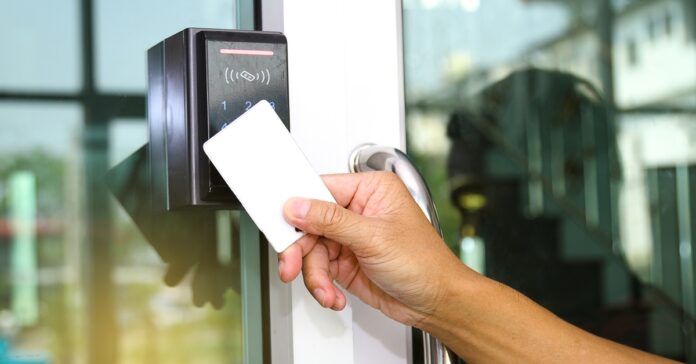
A close-up view shows a person holding up a blank, white card up to an access control machine that's next to a glass door.

A building’s entrance does more than open and close. It shapes the way employees, visitors, vendors, and tenants move through the space each day. When you’re choosing the right door access system, the goal is to balance convenience with stronger control, so approved people can enter smoothly while your property stays better protected.

Start With the Door

Choosing the right door access system starts with a simple question. What do you need that door to do?

A front entrance at a busy office needs a different setup than a storage room, server closet, warehouse bay, or apartment lobby. Some doors welcome visitors all day. Others protect expensive equipment, private records, or staff-only areas. When you match the system to the door’s purpose, you avoid paying for features you won’t use and reduce gaps that create daily frustration.

Know Your Traffic

Before you choose hardware, look at who uses the door and when they use it. Employees, vendors, tenants, cleaners, delivery drivers, and visitors may all need different levels of access. A small office might only need key cards for staff and a keypad for after-hours cleaning crews. A larger facility might need mobile credentials, visitor passes, time-based schedules, and detailed entry records.

Think about peak hours too. If dozens of people enter at 8 a.m., the system needs to process entries quickly. A slow reader at the main entrance will annoy people every morning. If the door sits in a low-traffic area, speed may not matter as much as control and tracking.

Compare Access Options

You’ll run into different types of access control as you compare systems, and each one fits a specific use case. Keypads work well for simple setups, but shared PINs can spread quickly. Card and fob systems make access easier to manage because you can deactivate lost credentials. Mobile access lets users unlock doors with smartphones, which reduces the need to issue physical cards. Biometric readers add another layer by using fingerprints, faces, or other personal identifiers.

Check the Software

The software often decides whether you’ll like the system six months from now. Look for a dashboard that lets you add users, remove access, set schedules, review entry activity, and manage multiple doors without calling a technician every time.

Cloud-based systems usually give owners and managers remote control, which helps when staff changes or a vendor needs temporary access. On-site systems can still work well, especially for locations with strict network rules, but they may require more hands-on maintenance.

Plan for Real Risks

Door access systems help control entry, but they don’t solve every security problem on their own. Intruders can bypass access control systems through tailgating, stolen credentials, forced doors, weak locks, or inadequate camera coverage. A strong setup pairs access control with reliable door hardware, alarms, lighting, video monitoring, and clear staff procedures.

You should also think about power outages and internet disruptions. The door should behave safely during emergencies while still protecting the building. Ask whether the system stores credentials locally, how backup power works, and how administrators handle lockouts.

Think About Growth

Your needs may change over time. A business may add employees, lease more space, or open another location. A building owner may need better visitor management or stronger reports. Choose a system that can grow without requiring a full replacement.

Ask whether the provider supports more doors, more users, mobile credentials, integrations, and role-based permissions. A cheaper system can cost more later if it traps you in limited software or outdated hardware.

Make the Right Call

The right door access system balances convenience, control, and long-term flexibility. Start with your doors, study your traffic, compare credential options, and look closely at the software. Then choose a provider who understands both security and everyday building use.

A smart system won’t just lock a door. It’ll help the right people move smoothly while giving you better control over who enters your space.

Knowing What To Do if Your Car Breaks Down Will Help You Save the Day

0

Picture this: Your car starts making a clunking sound, you smell something acrid and unsettling, and you do not know what to do next. To make matters worse, your kids and/or pets are in the car with you. What now? Well, your experience will undoubtedly still be stressful. But you have the power to make it a little less frustrating by taking steps now to plan for the possibility of this unsettling situation. Continue reading to learn how you can make a bad situation a bit better.

Call a Trusted Tow Service

After pulling off to the side of the road and making sure everyone in your vehicle is safe, the next thing you need to do is call a tow truck. You want to have a phone number and contact information handy before you need it. 

Put a trusted tow truck company’s information into your contact list under Tow Truck, so you do not need to remember the name. This way, you can make a quick tap and get help right away. Be sure to tell them if you have kids and pets in the car, as that may change whether you can get a ride back with them or not, based on how much room is in their truck.

Keep Your Kids Busy

If you have ever been on a road trip with your kids, you know that they can become antsy very quickly. Try putting those squirmy kids in a vehicle on the side of the road, or hanging out in the ditch before the tow truck arrives. You might experience an exercise in futility. Luckily, there are some things you can do to ensure they stay safe and occupied while keeping your sanity intact.

The best way to save the day is to plan for the worst and hope for the best. Keep these things in your vehicle to ensure everyone is safe:

  • Foldable waterproof picnic blanket
  • Non-perishable snacks
  • Water for each person
  • Colored pencils and a sharpener in a pouch
  • Coloring books, one for each child
  • Magnetic tiles and a small tray
  • Deck of cards or card games
  • Games
  • Do not pull out balls or frisbees. Keep everyone in one place while you wait.

Consider Your Pets

If your dog likes to hop in the vehicle for a ride or you transport your pet to and from the vet on occasion, you need to be prepared, just in case. Even the most well-mannered and well-trained canines can quickly become stressed and act out of the ordinary if their routine is disrupted. They follow your cues, as well, so if you are over-stressed, they will follow suit. 

Always keep an extra leash in your vehicle’s emergency kit so you have one handy if you have to wait on the side of the road. Stashing it there is ideal since you do not have quick access to it and will not “borrow” it with the intention of returning later, only to forget. Keeping your dog leashed on the side of the road while you wait for your trusted tow truck to arrive will keep it safe and close without the worry of noises startling your beloved pet, causing it to run off, or worse, run into traffic.

When your car breaks down, do not let a bad situation get worse. Know what to do beforehand so you can save the day.


What Goes Into Designing a Custom Outdoor Space?

0
An outdoor living space with a swimming pool, trampoline, and covered outdoor kitchen with a dining table and additional seating.

Designing an outdoor area isn’t just about adding a patio or planting a few shrubs; it’s about creating a space that feels intentional, functional, and enjoyable year-round. Whether for entertaining, relaxing, or enhancing property value, a thoughtful outdoor design blends aesthetics with practicality. Let’s explore what goes into designing a custom outdoor space.

Start With Purpose and Lifestyle

The most successful outdoor spaces begin with a clear understanding of how they’ll be used. Is the goal to host gatherings, create a quiet retreat, or build a family-friendly zone? Each purpose influences layout decisions, seating arrangements, and feature selections.

For example, someone interested in entertaining might prioritize an outdoor kitchen and dining area. Alternatively, a more relaxed setup could focus on lounge seating, fire features, or even starting a backyard garden at home.

Consider Layout and Flow

A well-designed outdoor space feels cohesive and easy to navigate. Designers often think in zones, dividing areas for cooking, dining, relaxing, and entertaining. These zones should connect naturally, with clear pathways and visual balance.

Spacing is also important, as overcrowding a backyard with features can make it feel smaller, while leaving too much empty space can feel unfinished. The goal is to strike a balance that supports both movement and comfort.

Choose the Right Features

Different features bring personality and functionality to a space. Common elements include:

  • Patios and decks
  • Fire pits or fireplaces
  • Outdoor kitchens or grills
  • Water features like pools or fountains
  • Pergolas or shade structures

Each feature should serve a purpose rather than be added just for visual appeal. For instance, incorporating a pool requires careful planning, not only for placement but also for safety, maintenance, and integration with the rest of the yard. Understanding what to expect from a professional pool building company during that process can be helpful, as it allows for proper space preparation.

Think About Materials and Durability

Outdoor environments demand materials that can withstand weather, temperature changes, and wear. Natural stone, composite decking, and weather-resistant furniture are common choices because they balance durability with style.

Color palettes and textures also play a role in creating a cohesive look. Neutral tones tend to age well, while strategic accents can add visual interest without overwhelming the design.

Work With Professionals

While DIY projects can work for smaller updates, larger projects often benefit from professional guidance. Designers and builders bring expertise in layout planning, drainage setup, structural considerations, and long-term maintenance.

They also avoid costly mistakes—like improper grading or poor material choices—that may not be obvious at the planning stage. A well-executed custom outdoor space design often reflects both the homeowner’s vision and the technical insight of experienced professionals.

Bring It All Together

Designing a custom outdoor space is a process that combines creativity, planning, and practicality. From defining how the space will be used to selecting features and materials, every decision contributes to the final result. When done thoughtfully, an outdoor area becomes more than an extension of a home—it becomes a destination in its own right.